
Create a Prototype
This guide walks through creating your first Prototype — one prompt raced across several engine+model contenders, compared side by side, with the winner promoted to a pull request.
Prerequisites: any plan (Prototyping is available on every tier), a connected worker or cloud worker, and a GitHub personal access token saved in Settings for the promote step — the race itself needs no push credentials (contenders commit locally and never push), but promoting the winner pushes its branch and opens the PR.
-
Open Prototypes and click ”+ Prototype”.
Prototypes has its own entry in the sidebar, directly below Schedules. The create panel asks for a name, the prompt, the target, and your contenders. Everything else has a conservative default.
-
Write one brief that’s worth comparing.
Every contender gets the same prompt, so write it as a self-contained goal: “Build a marketing landing page for a developer tool — hero, features, pricing, footer — using the existing component library.” A good prototype prompt is one where different agents could plausibly reach different results worth weighing against each other.
-
Pick the target and repository.
Choose the worker and either a container image + repository URL (each contender clones fresh and works on its own branch) or a pinned existing DevBox, plus the security profile and whether to use your own key (BYOK). A per-contender timeout bounds any single runaway attempt.
-
Choose your contenders — engine + model pairs.
Add the engine+model pairs you want to race: Claude, Codex, and Copilot, each with a model of your choice. The same engine with two different models is a valid matchup (“Claude Sonnet vs Claude Opus”). The picker is capped by your plan’s contenders-per-prototype limit (see Plans & Limits) — the cap is shown inline; you’ll see it if you try to add one too many.
-
Create it and watch the cards fill in.
Creating the prototype dispatches as many contenders as your plan’s concurrent-run limit allows; the rest wait as queued and start automatically as slots free. On the Free plan (one concurrent run) they run one at a time — the queued card shows the plan’s concurrency and each contender’s position. A toast confirms the prototype was created.
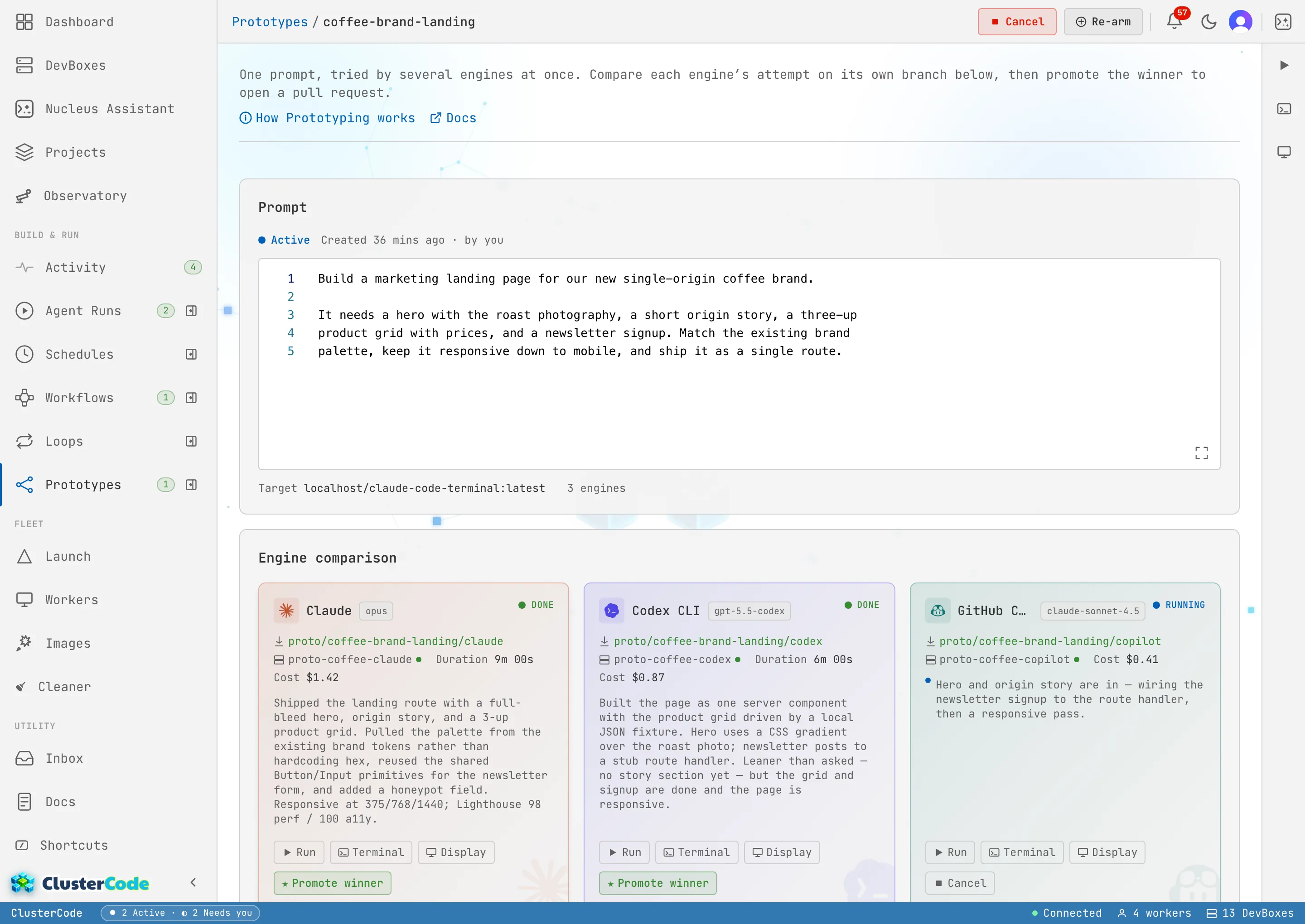
Each contender appears as a comparison card: engine+model, branch, duration, cost, a status pill, and a summary block — a live latest-activity line while it runs, the agent’s own summary when it’s done.
-
Preview any contender live.
Click a card to open the shared side panel. Preview in Display shows the contender’s desktop, Preview in Terminal its shell, and the Run tab its transcript — the header selector there switches between sibling contenders. Preview is one contender at a time; the finished DevBoxes stay alive so you can inspect every result before deciding.
-
Promote the winner.
On a done card, click ★ Promote winner. Promotion resumes that contender’s run with an instruction to push its branch and open a pull request, and records the PR URL. The losing contenders’ DevBoxes are torn down, and the winner’s work lands in a PR for your review. Only the prototype’s creator can promote.
What you get when it finishes
Section titled “What you get when it finishes”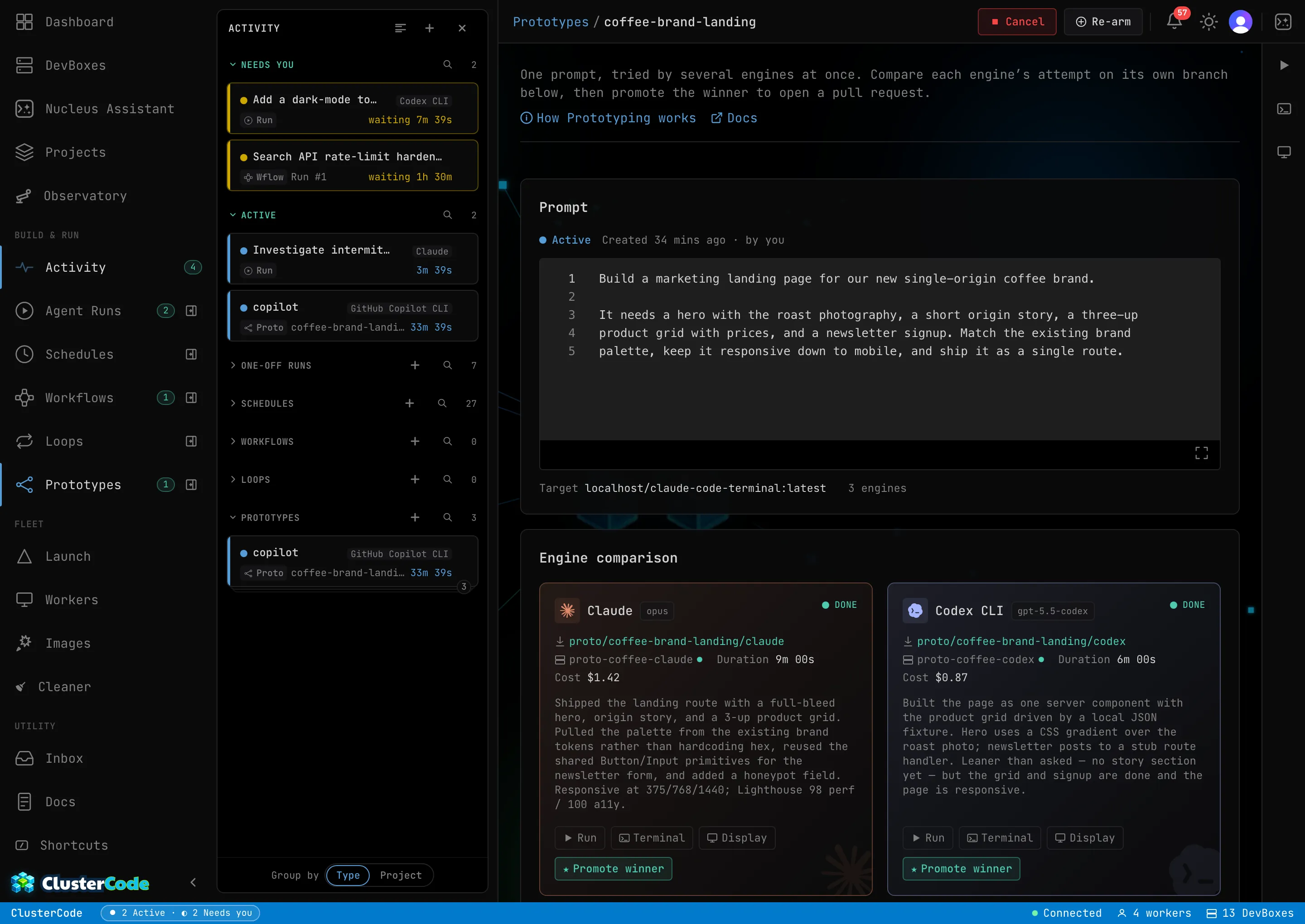
- A promoted PR — the winning contender’s run reopened to push its branch and open a pull request, with the losers retired. Prototyping never merges — review and merge on your terms.
- Every result still inspectable — the finished contenders’ DevBoxes stay alive (branches, working trees, transcripts) until you promote, archive, or delete, so you can dig into every attempt before deciding.
- Your slot back, immediately — a finished race stops counting against your active prototypes cap the moment it ends. Archive it when you’re done comparing (tears down the preview DevBoxes, keeps the record), or Delete it to permanently remove the prototype and all of its contenders’ runs.
Troubleshooting
Section titled “Troubleshooting”- A contender stays queued — that’s your plan’s concurrent-run limit at work. It admits automatically when a sibling finishes; on Free, contenders run one at a time by design.
- A contender errors immediately — check that the repository URL is reachable with the saved token and that the worker is online, the same as any run.
- Promote is disabled — promotion is creator-only and only offered on done cards. A still-running or queued contender can’t be promoted yet, and only the person who created the prototype can promote.
Want the mechanics end to end — branches, queued admission, promotion, teardown? Prototyping walks the whole model.