Observatory
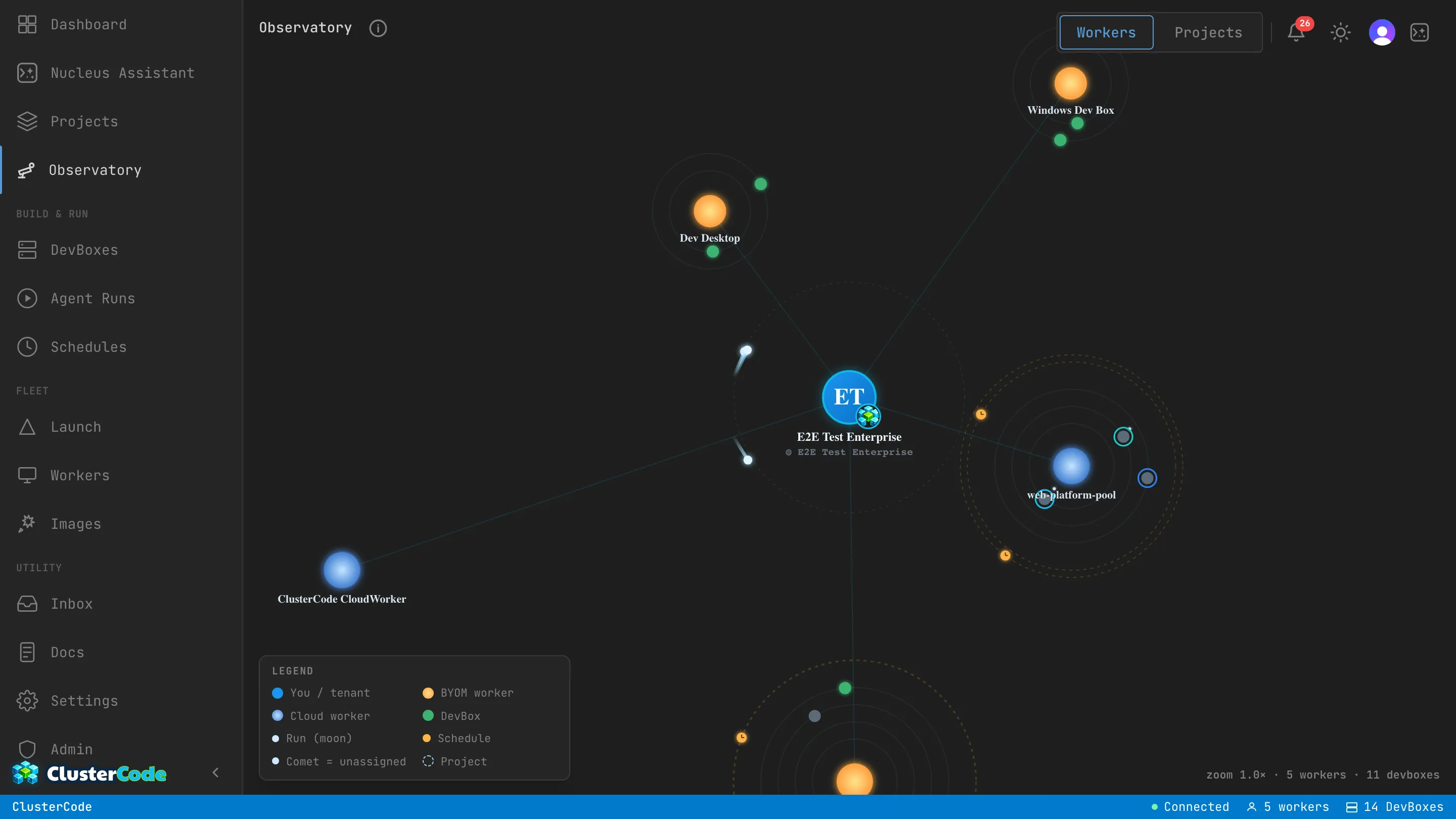
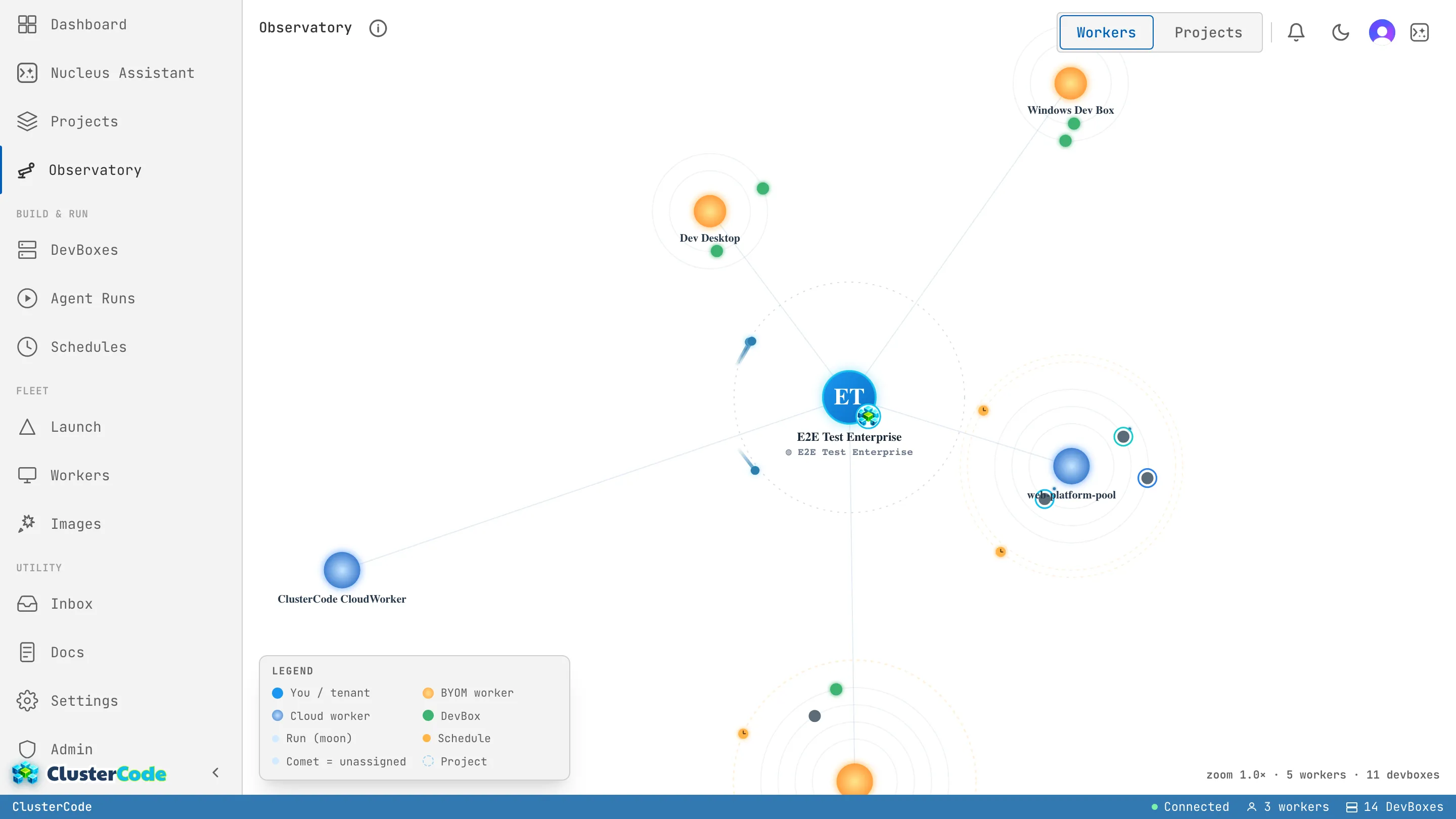
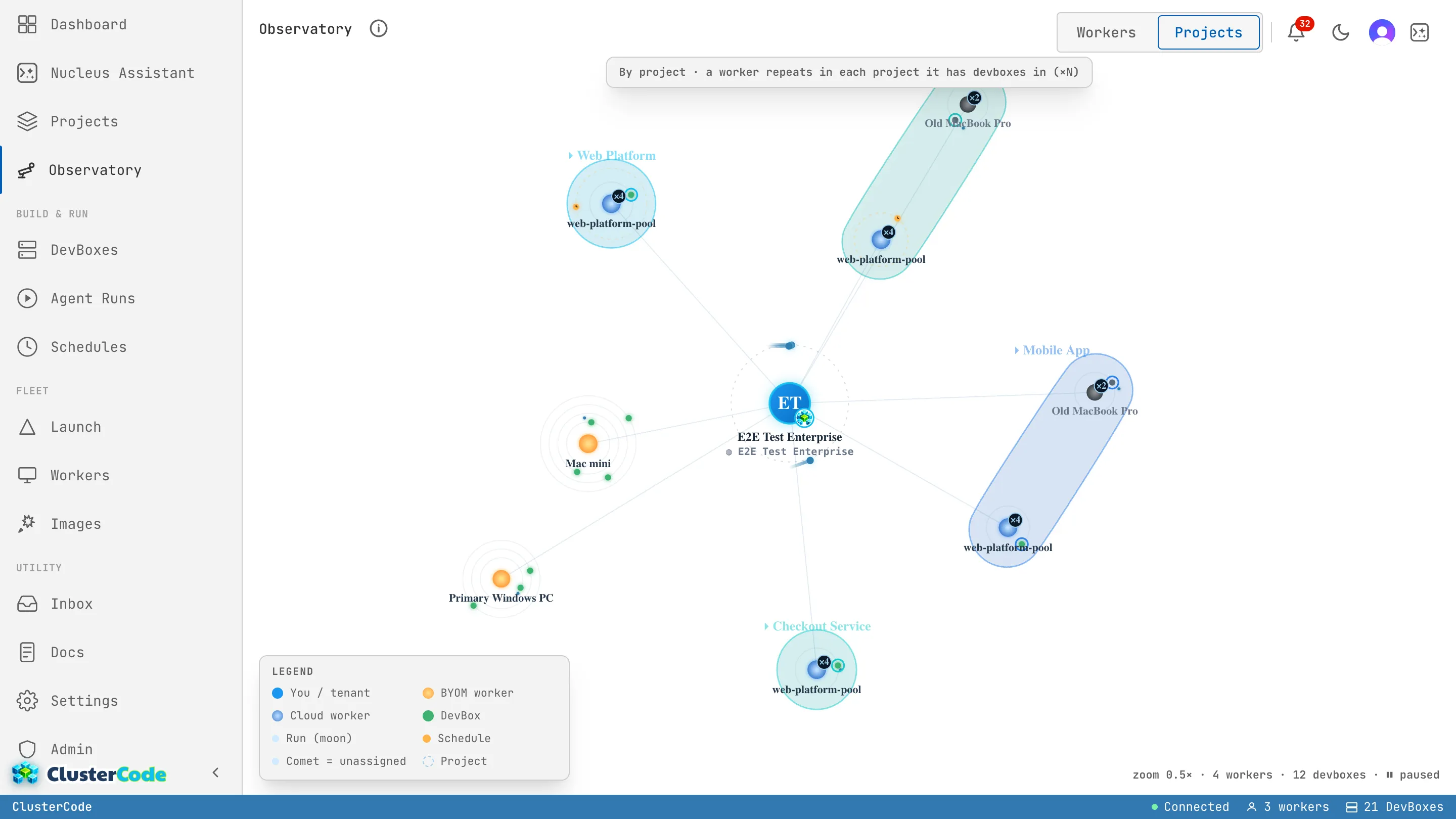
The Observatory is an immersive, navigable galaxy view of everything in your ClusterCode workspace — one living map of your whole fleet. Instead of scanning a dozen lists, you see your workers, DevBoxes, runs, and schedules at a glance, each rendered as a celestial body orbiting the things it belongs to.
You’ll find it in the orchestrator’s Overview nav. It follows your app theme (light or dark) and animates only the resources that are actually alive.
The Metaphor
Section titled “The Metaphor”Every resource in your fleet maps to a celestial body. Once you learn the legend, the whole galaxy reads at a glance.
| Body | What it is |
|---|---|
| Center | You — your tenant, the root of everything you can access. |
| Sun | A Worker. Orange = a BYOM worker (your own machine); blue = a Cloud worker (managed). |
| Planet | A DevBox, orbiting its worker. Its fill colour is its status; its ring marks its project. |
| Moon | A Run, orbiting its DevBox. Amber = triggered by a schedule. |
| Clock / dashed orbit | A Schedule, circling its worker. |
| Comet | An unassigned run or schedule — one with no worker or DevBox yet — orbiting you in the holding belt. |
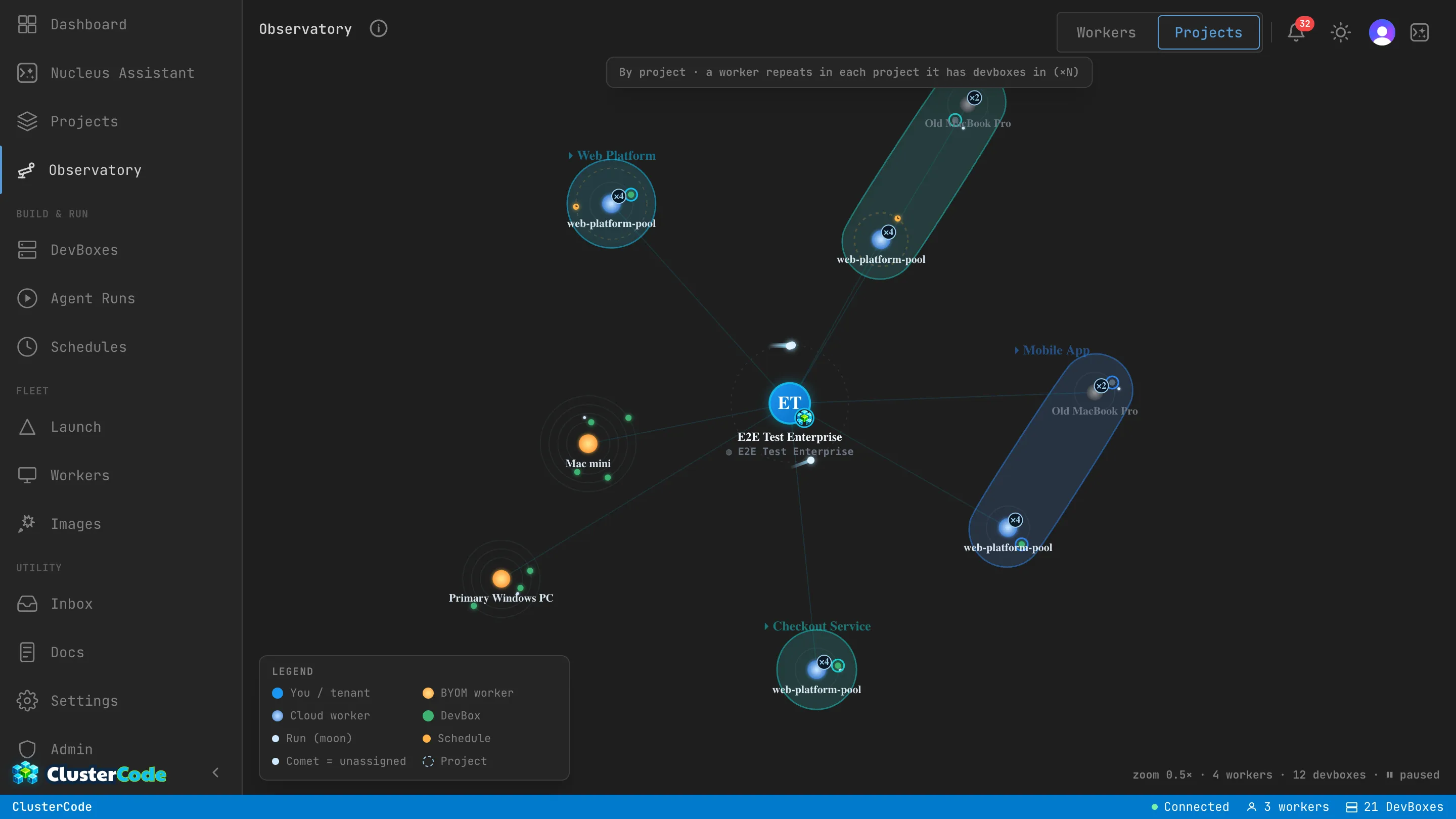
| Constellation | A Project (Projects lens only). |
Two Lenses
Section titled “Two Lenses”A segmented toggle at the top right switches how the galaxy is grouped:
- Workers — DevBoxes cluster under the worker that hosts them. This is the infrastructure-first view: “what is running where?”
- Projects — bodies group by project, drawn as constellations. A worker that serves more than one project repeats in each, shown with a ×N badge so you can tell it’s the same machine.
How to Read It
Section titled “How to Read It”- Liveness tells you what matters. Offline workers and stopped DevBoxes don’t orbit — only active resources move. A still body is idle; a moving one is doing work.
- Colour is status. A worker’s colour tells you whether it’s your machine or a managed cloud one; a planet’s fill tells you a DevBox’s state at a glance.
- The holding belt is your backlog. Comets orbiting the center are runs and schedules waiting for a worker or DevBox. If work isn’t getting picked up, look here first.
- Lenses answer different questions. Reach for the Workers lens to reason about capacity and placement, and the Projects lens to see how a single project’s work is spread across your fleet.