
Schedules
A Schedule runs an AI agent on a recurring cron cadence — wake up to draft PRs every morning, sweep for flaky tests nightly, audit dependencies weekly. Each run spins up a DevBox, does the work, and tears down on its own.
Schedules are autonomous: no one is watching, so the agent never pauses to ask a question. If you want a back-and-forth, use a Run instead.
How it works
Section titled “How it works”Cron trigger (e.g. weekdays at 6am) → Coordinator spins up a DevBox on your worker → The engine implements the task → Result reported (e.g. a draft PR) → DevBox torn downThe coordinator delegates the coding to the engine you choose. Because there’s no human in the loop, the agent reports a result exactly once and never asks for input — anything ambiguous is decided autonomously or left for the result summary.
The Schedules pages
Section titled “The Schedules pages”Three views, each with a purpose:
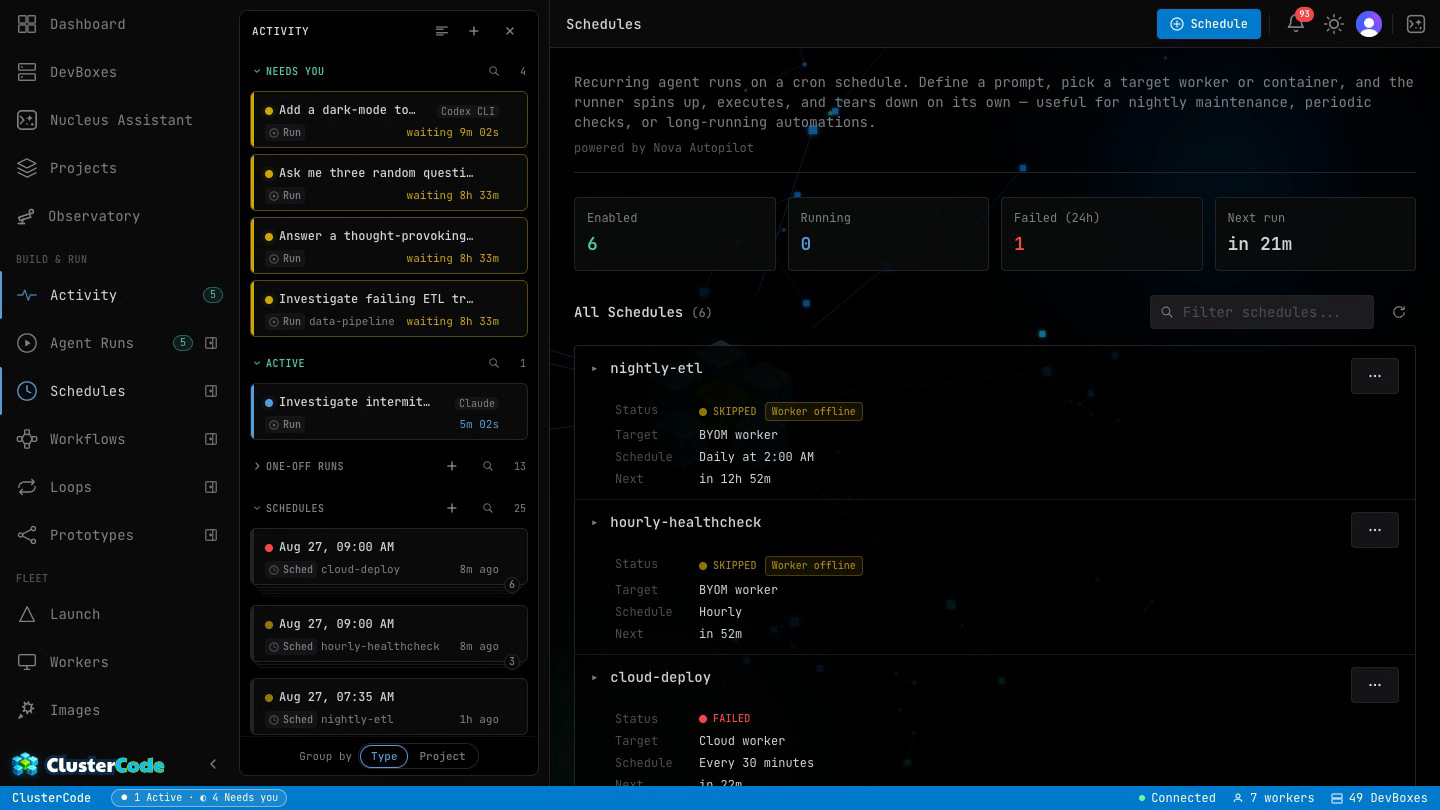
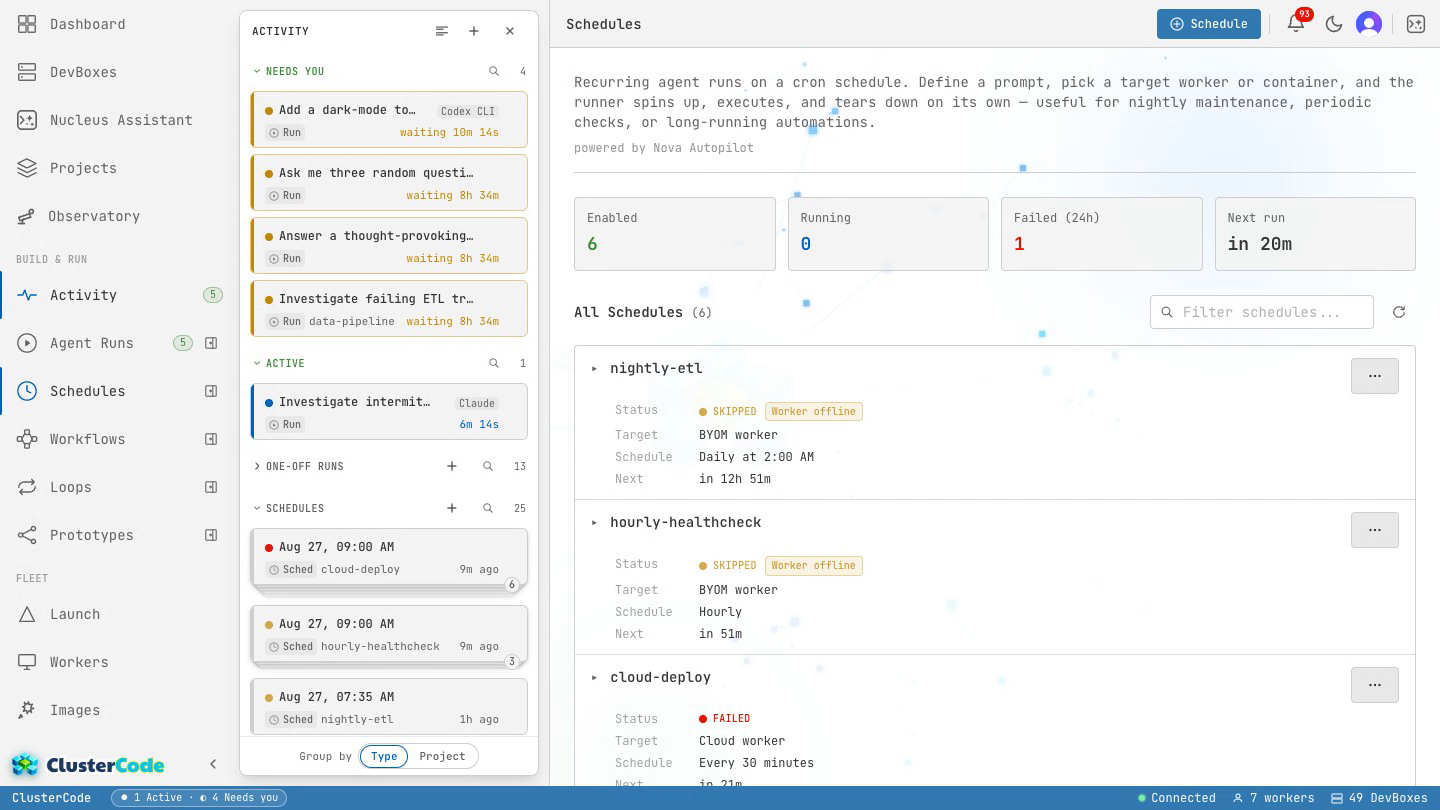
- Schedules list — every schedule, with its engine, cadence, target, next run, and an enabled/disabled toggle. The top stats show how many are enabled, running now, and failed in the last 24h. Each row has Run now (to fire it immediately) and Details.
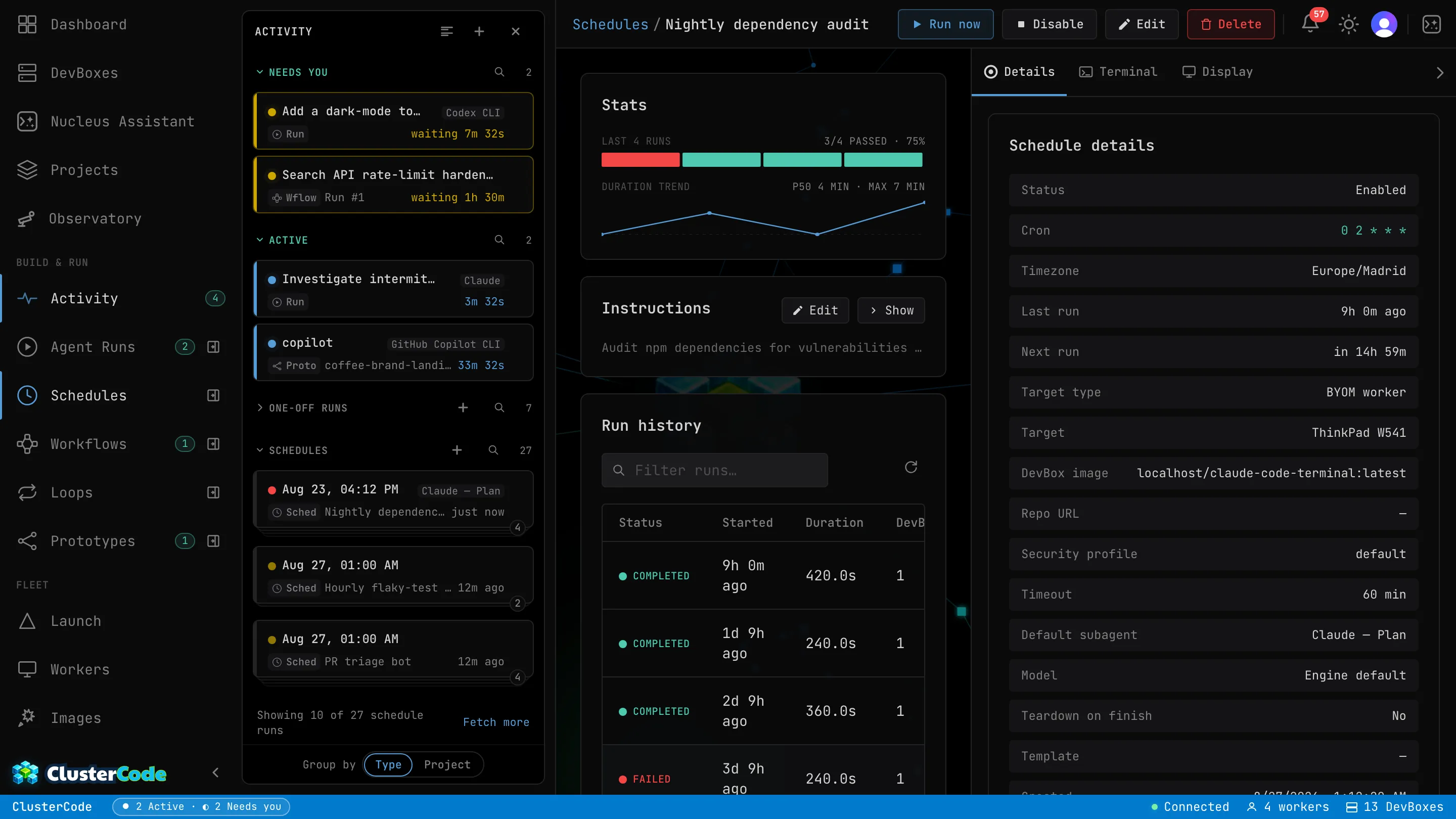
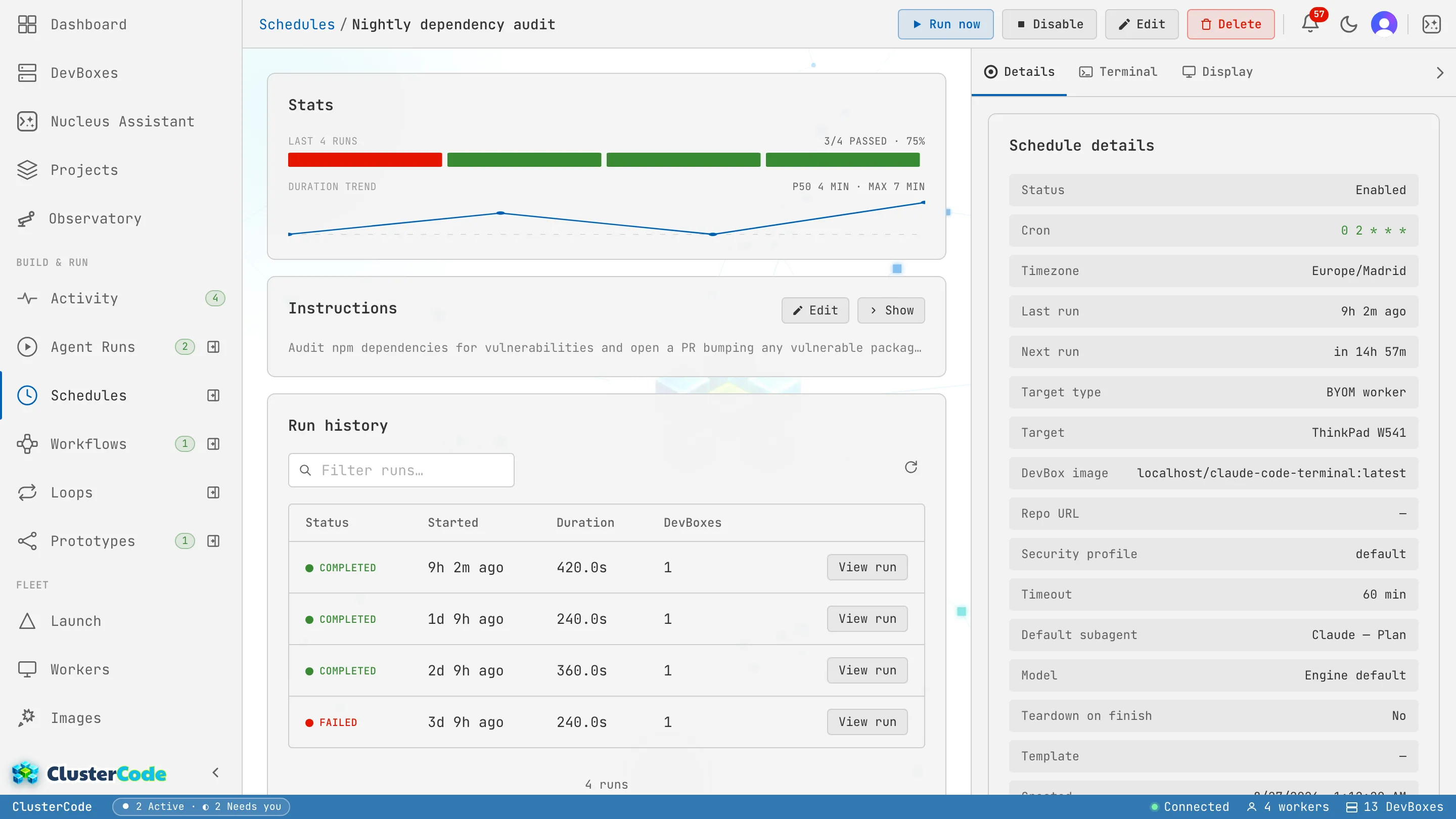
- Schedule detail / run history — one schedule’s configuration plus a pass-rate and duration trend over its recent runs, and the list of past executions (each with status and duration).
- Create / edit panel — the form for a new or existing schedule (below).
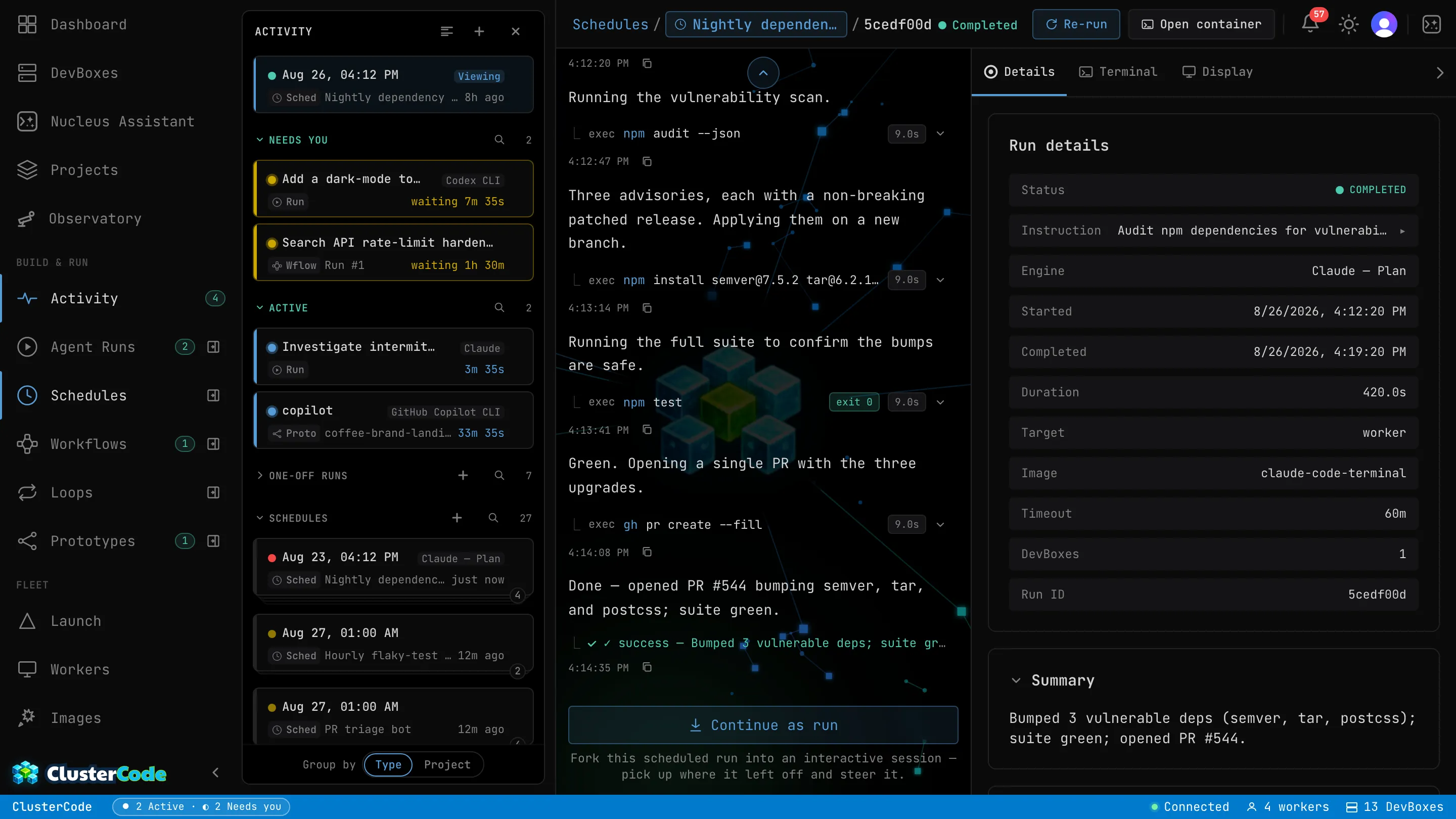
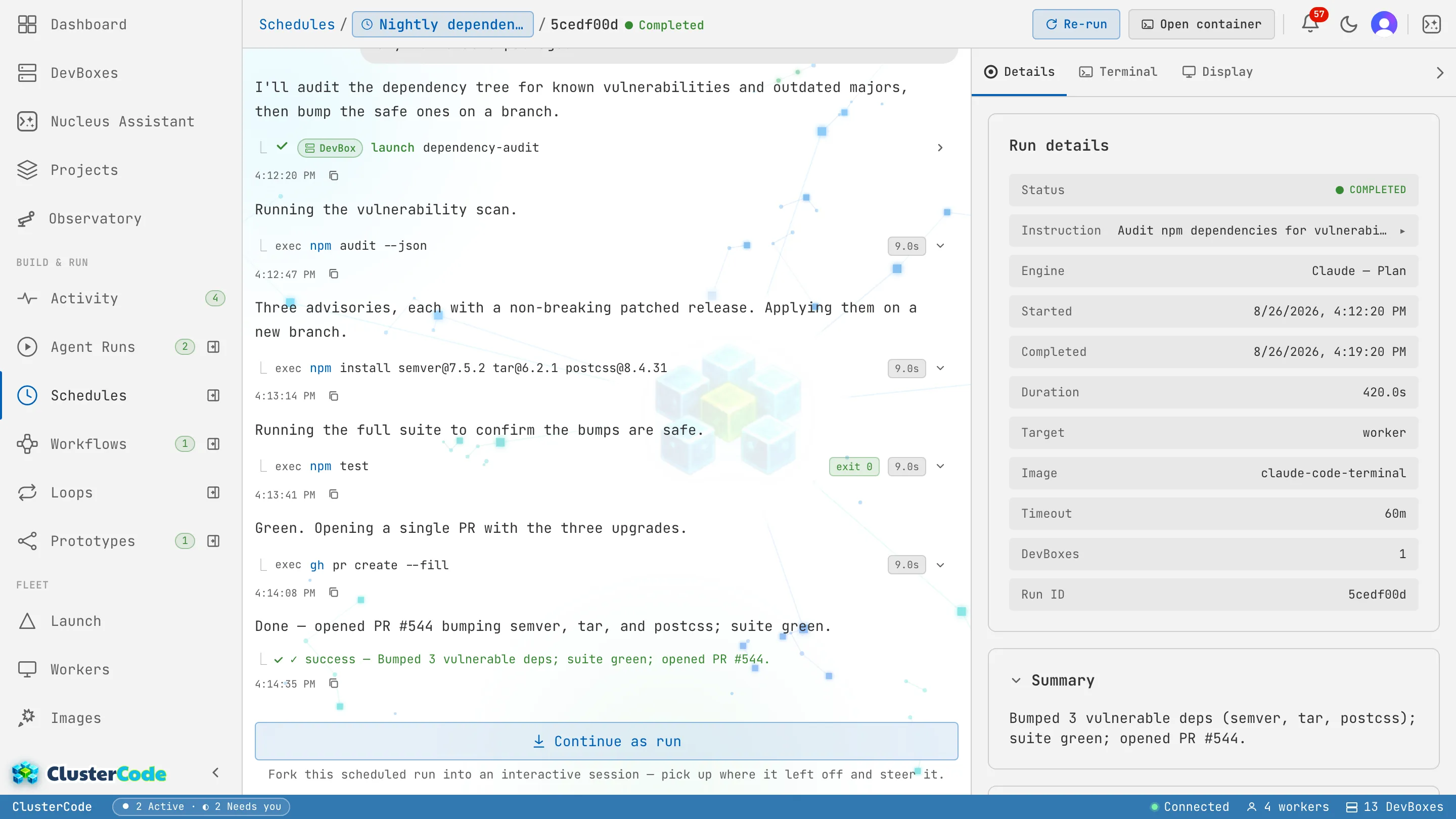
Open any execution to see its timeline — the same step-by-step trace a Run has, reached from the schedule:
Creating a schedule
Section titled “Creating a schedule”From the Schedules page, + Schedule opens the form:
-
Prompt — what the agent should do each run. Type
/to insert a Shortcut; a blank left unfilled is refused at save, because a schedule would otherwise send it to the agent on every tick. -
Cadence — a cron expression (e.g.
0 6 * * 1-5for weekdays at 6am), or a preset (Hourly, Daily, Weekly). A live preview shows the next run time. -
Engine — which engine runs the task, or auto-detect.
-
Target — which worker or cloud worker it runs on, or auto-select.
-
Image — the DevBox image to launch.
A schedule can be enabled or disabled at any time without deleting it — disabled schedules keep their config but never fire.
How a target is chosen
Section titled “How a target is chosen”Every run needs a machine. There are two ways it gets one, and they behave differently — this is the canonical description, so other pages link here rather than restating it.
Pinned target
Section titled “Pinned target”Name a worker, cloud worker, or an existing DevBox, and every firing goes there. The dispatcher re-validates that target at each firing, before any AI tokens are spent, and a failure records a skip with a specific reason rather than falling back to another machine:
| Reason | What happened |
|---|---|
worker_offline | The pinned worker is registered but not connected |
worker_not_found | The worker was deleted |
container_not_found | The pinned DevBox no longer exists |
cloud_worker_inactive | The cloud worker is stopped or deprovisioned |
A pinned schedule that finds its machine gone is therefore skipped, never rehomed. That is the right default for a run that depends on machine-local state, but it does mean an offline worker silently stops producing work until you notice the skips.
Auto-select (no pinned target)
Section titled “Auto-select (no pinned target)”Leave the target unset and the machine is chosen at launch, per firing. For runs that land on the managed fleet, the placement rules are:
-
Eligibility. A host qualifies if it is online, is a fleet worker, and — for a Windows tier — has hardware virtualization available. Fleet capacity is shared infrastructure, so eligibility is not scoped to your tenant.
-
Capacity. The host must have enough free memory and enough free vCPU for the requested size (vCPU is measured against an overcommit ratio, not raw cores), enough disk, and — for Windows — must be under its cap on simultaneous in-flight installs.
-
Priority buffer. On a free or trial plan, a launch is refused if placing it would push overall fleet memory utilization past the slice reserved for paying customers.
-
Selection: best fit, not least loaded. Among the hosts that still fit, the one with the least free memory wins — that is, the fullest host that can still take the job. Packing tightly keeps a large host free for a large DevBox instead of scattering work thinly across the fleet. Ties break deterministically, so repeated launches spread predictably.
One exception ranks above all of it: a DevBox for a cloud worker that already has containers on a host is placed on that same host, keeping its shared workspace local.
If no host is eligible at launch, the run is refused with a capacity reason (fleet full, or capacity reserved for paid plans) rather than being queued for later.
Skipped runs
Section titled “Skipped runs”Before each firing, the dispatcher runs pre-flight checks — target reachable, plan allowance, and the service tokens the run’s repository or ticket requires. If a check fails, the execution records a skip with a specific reason (visible in the execution list, the timeline popover, and the execution’s detail page) before any AI tokens are spent. A missing GitHub / Azure DevOps / GitLab token is the most common cause for a new setup — the detail page shows a remediation banner that resolves live once you add the token. See the skip-reason reference.
Limits
Section titled “Limits”Two limits apply per plan: how many schedules you can have, and how often each one may run — the minimum gap between two runs, its cadence floor.
| Resource | Free | Starter | Pro | Enterprise |
|---|---|---|---|---|
| Cron schedules | 1 | 3 | 15 5× | 60 20× |
| Schedule cadence floor | every 6h | every hour | every 12 min | any (every minute) |
5× / 20× mark limits where Pro is exactly 5× Starter and Enterprise 20×.
A cron that fires more often than your plan’s floor is rejected when you create or edit a schedule — both inline in the schedule form and on the server — with a prompt to upgrade. The floor is a configuration gate: if you downgrade, your existing schedules keep running at their current cadence (they’re grandfathered); only new or edited schedules must meet the lower tier’s floor.
Use cases
Section titled “Use cases”- Nightly ticket processing — process all “Ready for Dev” tickets overnight.
- Dependency audits — check for vulnerable packages weekly and open a PR.
- Flaky-test sweeps — re-run the suite, find flaky specs, file issues.
- Documentation generation — rebuild docs from source nightly.
- Automate recurring work — copy-paste schedule recipes.
- Runs — the on-demand, interactive counterpart.
- Engines — what each engine can do.