
Runs
A Run is an on-demand agent job that fires once. You write a prompt, the coordinator spins up a DevBox and gets to work, and — unlike a Schedule — you can watch its timeline, steer it, and answer its questions as it goes.
Starting a Run
Section titled “Starting a Run”From the orchestrator’s Runs page, + New run opens the composer:
-
Instructions — what you want done (Markdown supported). This is the only required field. Type
/here to insert a Shortcut — a prompt you saved earlier — and fill in its blanks. The ✦ sparkle beside it hands your draft to the prompt improver, which restructures it for an agent before you send it. -
Ticket URL (optional) — paste a GitHub/Azure issue and the launch step resolves its repo/branch, clones it, and readies the issue context inside the DevBox.
-
Target (optional) — pin a worker or cloud worker, or leave it blank — the agent will ask you to pick a host (and image) the moment it needs to launch.
-
Engine — which engine runs the task, or auto-detect to use the best available CLI on the image.
-
Mode — Interactive (default) or Autonomous (see below).
-
Start Run — the coordinator launches a DevBox and begins.
Interactive or autonomous
Section titled “Interactive or autonomous”A Run can fire in one of two modes:
- Interactive (default) — a human is watching. The agent can pause and ask you a question, and you can steer it. This is everything described on this page.
- Autonomous — fire-and-forget. The Run executes to completion without ever pausing — it’s a Schedule’s body fired once, on demand. There’s no human in the loop, so it never asks a question; if it hits an ambiguity it decides for itself or fails fast with a result.
Because an autonomous Run can’t ask you anything, it must be given a target up front — a worker and an image, or a cloud worker (which auto-picks an image). A “just instructions” autonomous Run with no host is rejected at creation, since it could only fail when it reached the point of needing to ask.
The timeline — watch it work
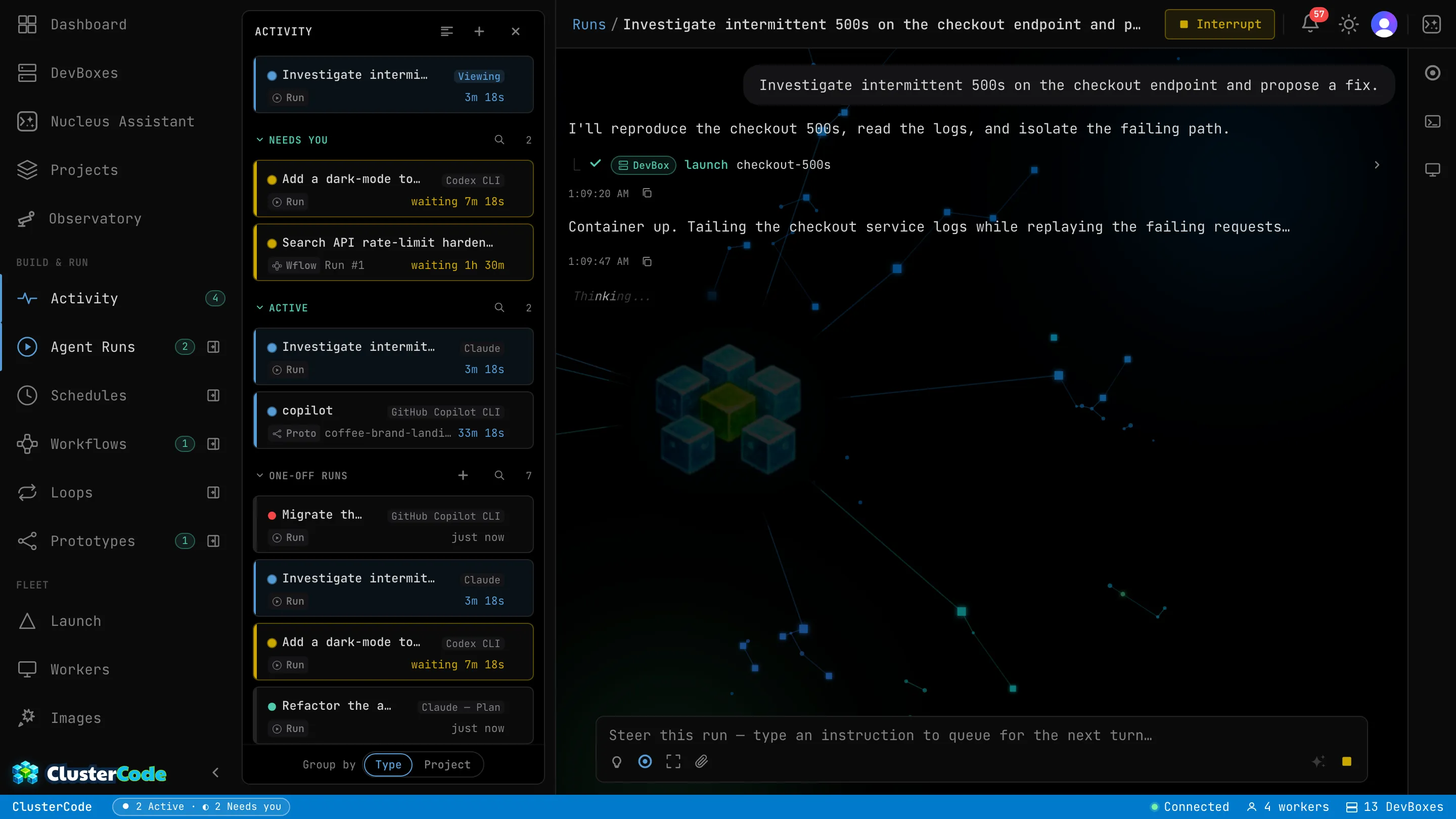
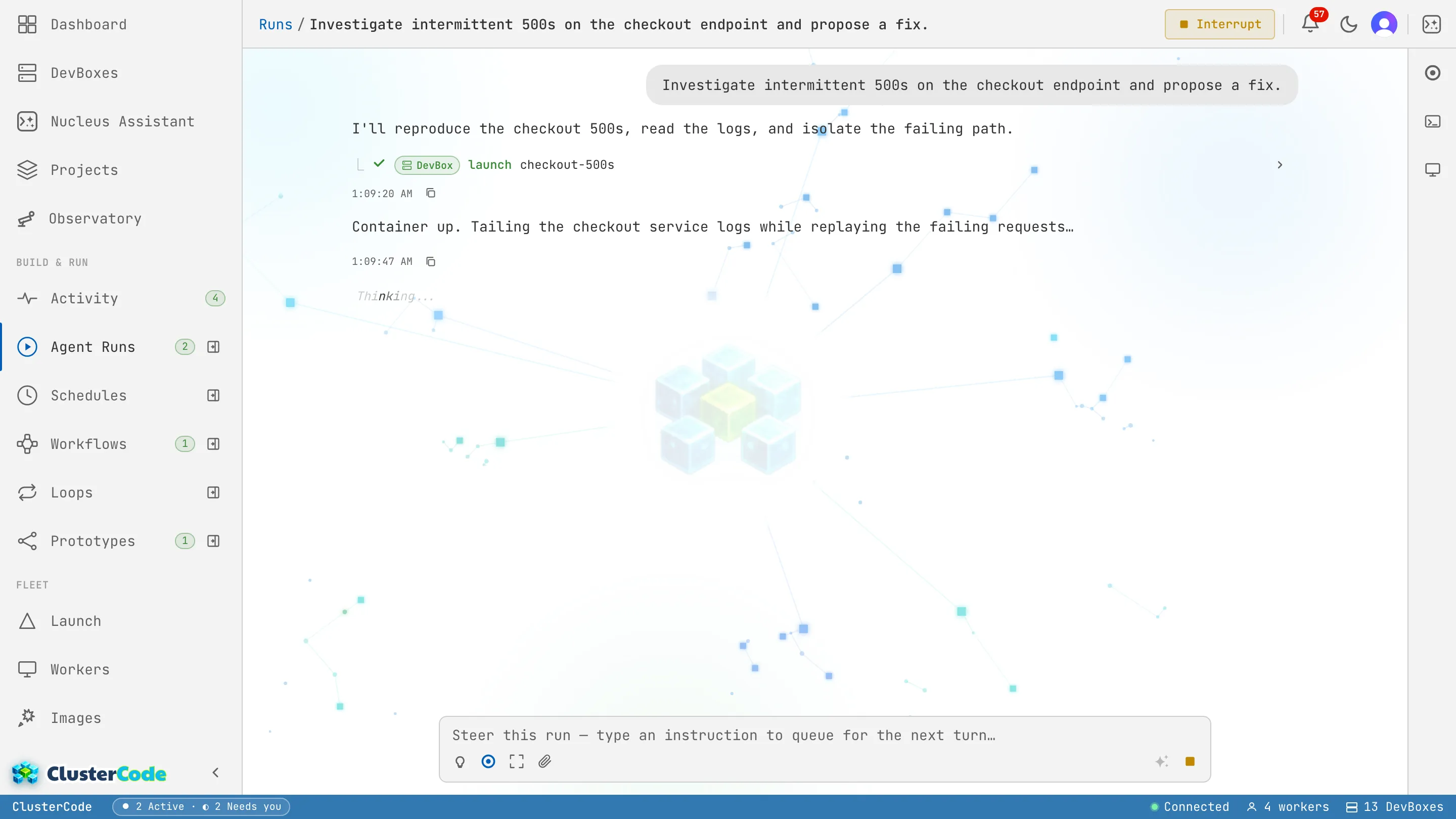
Section titled “The timeline — watch it work”Every Run has a live timeline: each step the agent takes appears as it happens, so you can follow exactly what it’s doing instead of waiting for a final summary.
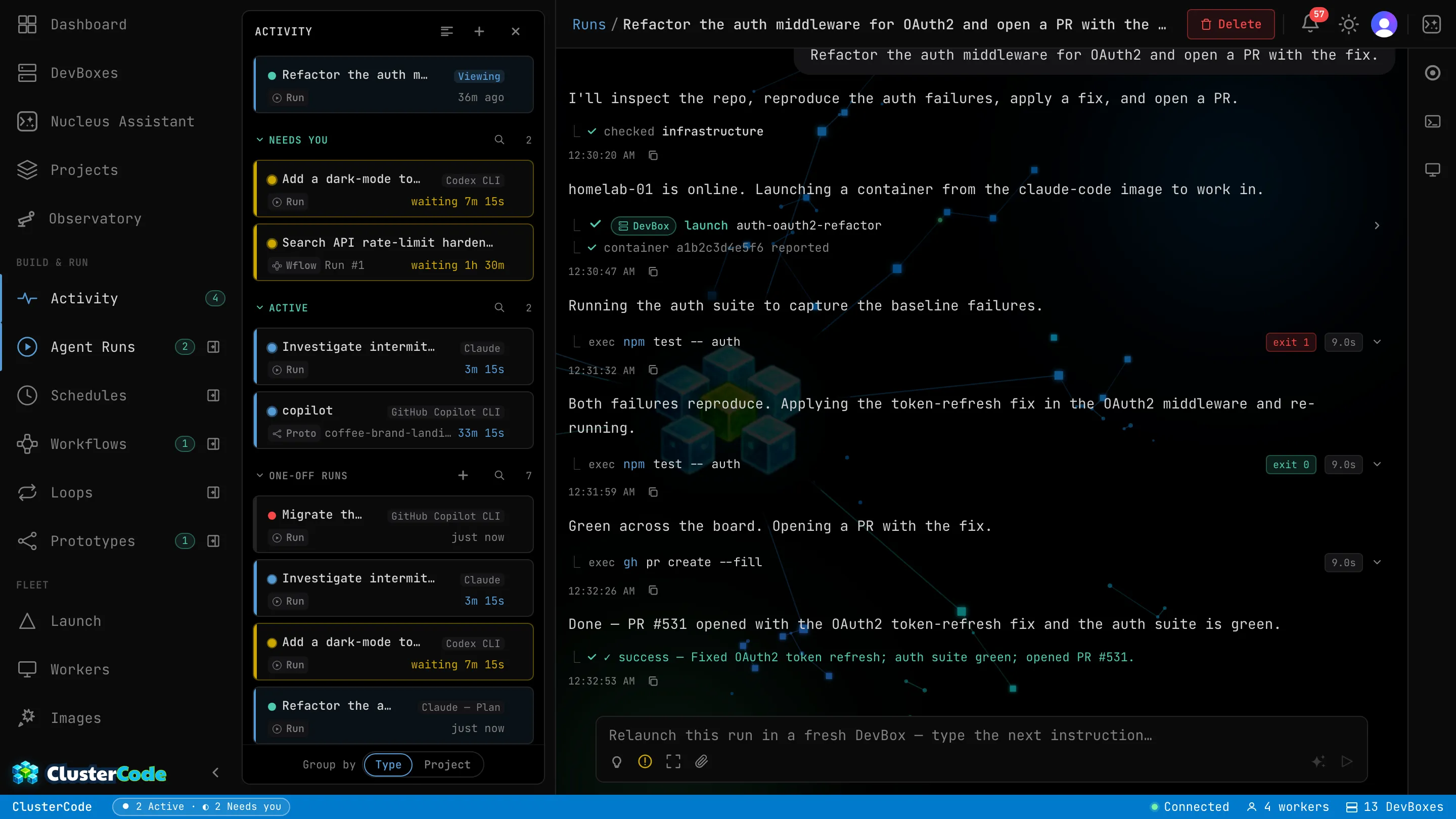
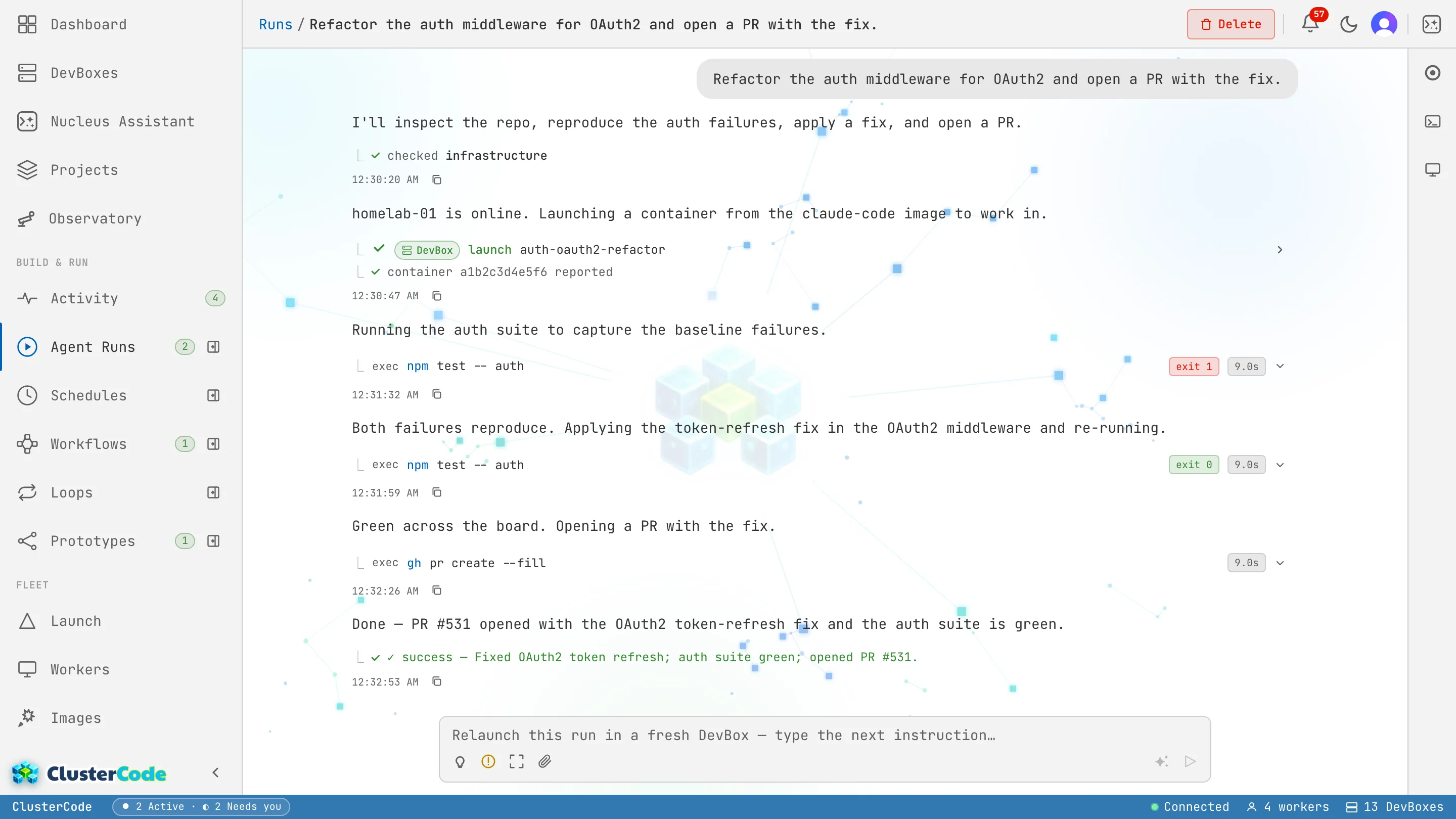
The timeline interleaves the agent’s messages with its tool steps — each one expandable to see the exact call and result:
- launch DevBox — a DevBox is created on the chosen host.
- exec in DevBox — a command runs inside it (tests, a build,
gh pr create). - report job result — the agent finalizes the Run as completed or failed.
The Run details panel alongside it shows the status, engine, started/completed times, duration, the DevBox(s) used, and a one-paragraph summary of everything the Run did. A finished Run can leave its DevBox up so a follow-up continues where it left off.
Sessions that follow you
Section titled “Sessions that follow you”A Run isn’t pinned to the tab you started it in. The work runs on the DevBox, not in your browser — so closing the browser doesn’t stop the Run, and reopening it from another machine reattaches the live timeline and terminal with the full context intact.
Every engine in the Run keeps its own durable, resumable session on the DevBox. That’s what makes a multi-agent relay work — each engine’s context is threaded forward across hand-offs — and it’s what lets you walk away mid-run and pick up exactly where you left off, from any browser, later. The session lives with the DevBox for as long as the DevBox is up.
It can pause and ask you
Section titled “It can pause and ask you”The headline difference from a Schedule: a Run can pause mid-flight and ask you a question, then resume from exactly where it stopped once you answer. Its status flips to Needs you and the question appears inline.
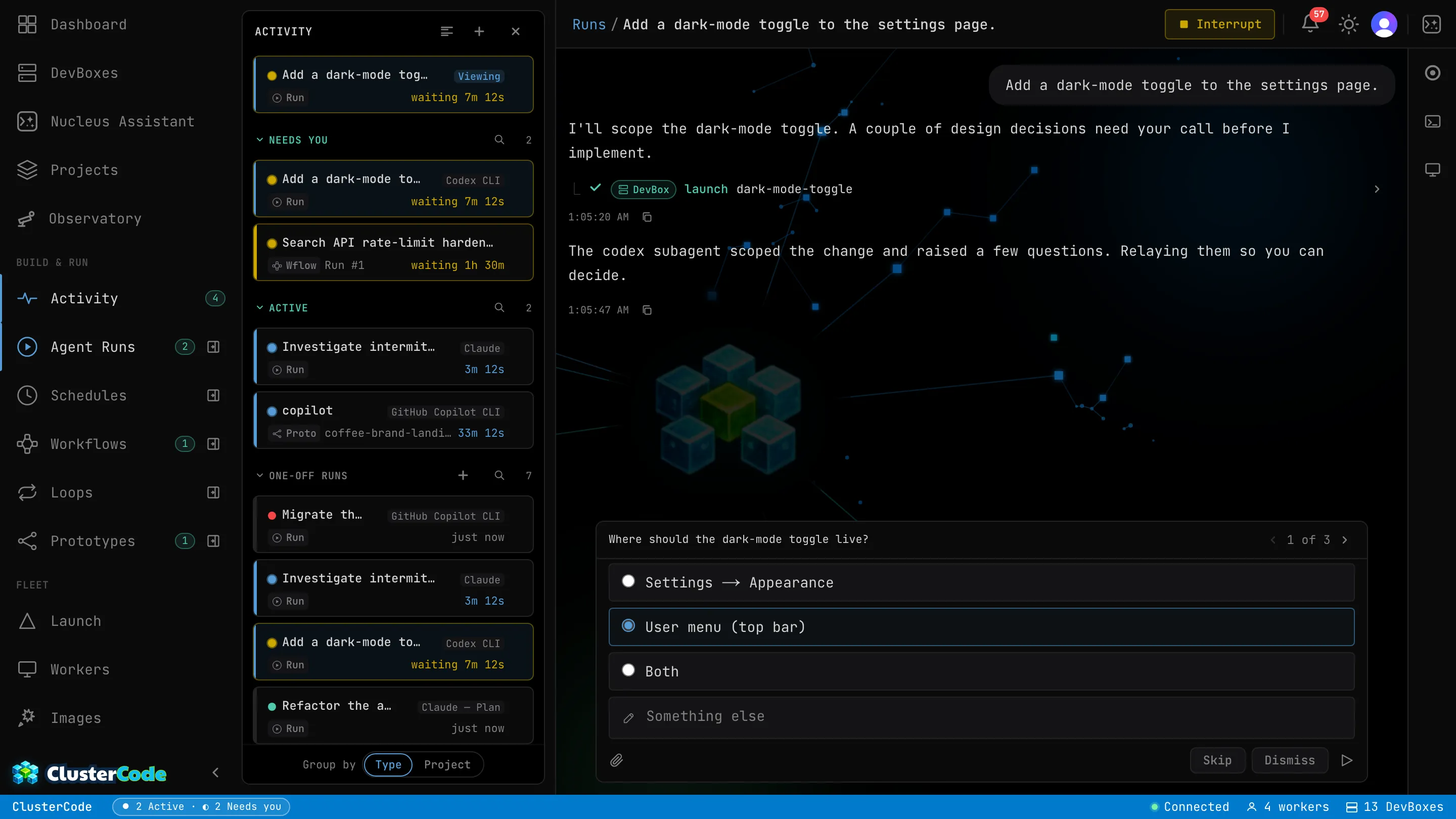
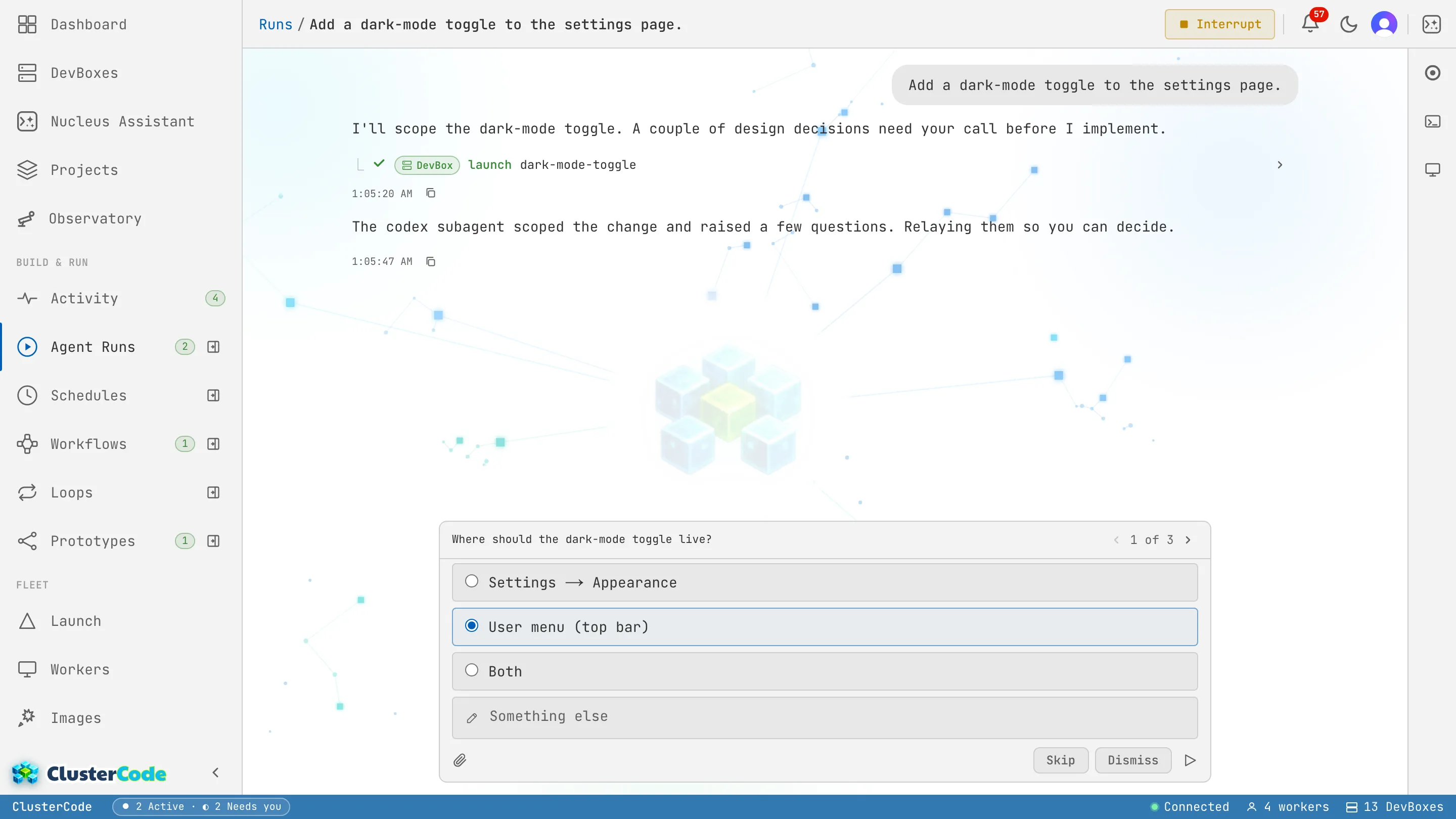
How questions are asked:
- A choice — single-select (pick one) or multi-select (pick any), each with a recommended default and an “Other → free text” escape.
- Free text — an open-ended answer.
- Several at once — a Run can ask multiple questions in one pause (the example above is the first of three).
This works for any engine you pick — the question comes from the coordinator, not the engine. The DevBox and its session stay alive while paused, so it’s safe to answer minutes — or hours — later.
Steering — the chat
Section titled “Steering — the chat”A Run is a conversation. Below the timeline is a chat composer:
- Steer it — type a follow-up instruction while it’s working; it’s delivered at the next turn boundary, so you can redirect without stopping the Run.
- Answer a question — when the status is Needs you, your reply resumes the Run from where it paused.
- Continue a finished Run — if the DevBox is still up, a new message picks the work back up in the same workspace.
Picking an engine
Section titled “Picking an engine”Name an engine when you care which one runs. An interactive brainstorm is a good fit for Claude Code — Plan (it can pause itself mid-task); a tightly-scoped job suits Claude Code — API credits or Codex. See Engines for the full comparison and how each one pauses.
When to use a Run vs a Schedule
Section titled “When to use a Run vs a Schedule”- Run — exploratory or ambiguous work, anything you want to watch, steer, or where the agent may need a decision from you.
- Schedule — recurring, well-specified work that needs no supervision.
- Run an agent on demand — copy-paste recipes to try.
- Engines — what each engine can do, and how each pauses.
- Schedules — the recurring, autonomous counterpart.